How to Shoot B-Roll for Videos: Free Shot List & Examples
B-roll makes your video easier to watch, easier to edit, and easier to understand. This guide explains which B-roll shots to capture, how many you need, and how to use them to keep your edit clean.
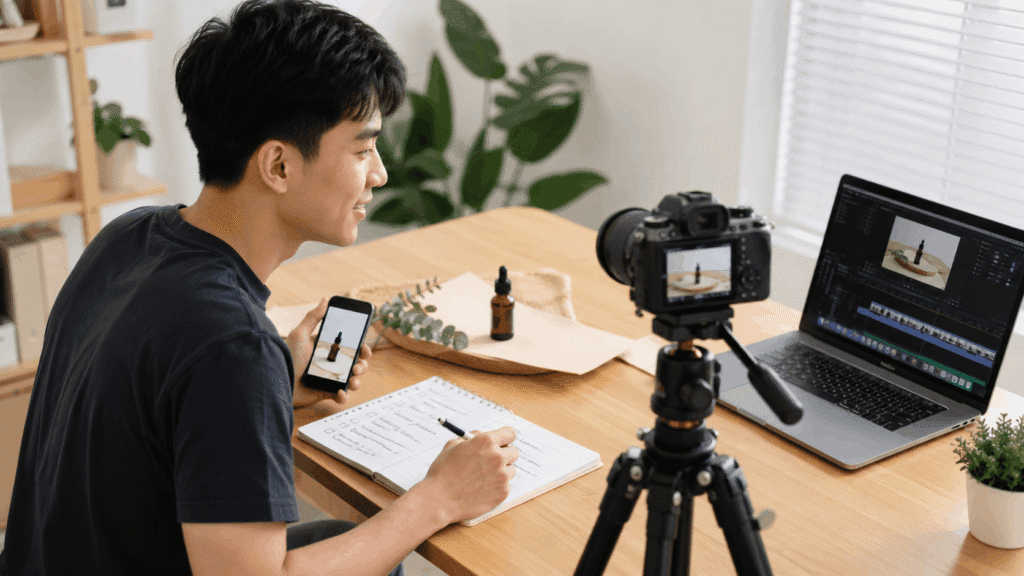
Quick Answer: How to Shoot B-Roll for Videos
To shoot B-roll for videos, begin with your message.
List visuals that back each point.
Then, capture different shots: wide shots, close-ups, action shots, cutaways, and details.
Finally, edit your footage.
A simple B-roll process looks like this:
- Read your script, outline, or video idea.
- Mark the points that need visual support.
- Create a simple B-roll shot list.
- Capture wide, medium, close-up, action, and detail shots.
- Shoot more than one angle for more editing options.
- Hold each shot long enough for editing.
- Use B-roll only when it explains, supports, or improves the video.
Good B-roll is not random pretty footage.
It should help the viewer understand the point faster.
What Is B-Roll Footage?
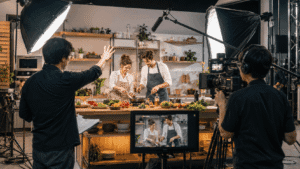
B-roll is supporting footage used with your main video footage.
Your main footage is usually called A-roll.
B-roll shows extra visuals that support what is being said or shown.
| Footage Type | Meaning | Example |
|---|---|---|
| A-roll | Main footage | A person talking to camera |
| B-roll | Supporting footage | Hands using a product, screen recording, close-up, location shot |
| Cutaway shot | A shot used to break away from the main footage | Showing a laptop screen while someone explains editing |
| Establishing shot | A shot that shows where the scene is happening | A wide shot of a room, street, desk, or event space |
B-roll is useful because viewers do not always want to look at the same frame for the whole video.
It gives the edit movement, context, and flow.
Why B-Roll Makes Your Videos Better
B-roll improves your video because it shows the point, not just tells it.
This is important when your video explains, teaches, sells, or shows a process.
B-roll helps your video because it can:
- Show what you are explaining.
- Cover jump cuts.
- Break long talking sections.
- Add context to a scene.
- Show product details.
- Make tutorials easier to follow.
- Make the edit feel more planned.
- Give the viewer a visual reset.
B-roll does not automatically make a video better.
Bad B-roll can make a video feel messy.
If the shot does not support the message, remove it.
Use it when it helps the viewer understand, not just because the timeline feels empty.
Start With the Message Before You Shoot
Do not start by asking, “What cool shots can I capture?”
Start by asking, “What does this video need to show?”
This keeps your B-roll useful.
Use this step-by-step formula: Main point → Visual proof → Supporting shot
Example 1:
Main point: “This product fits a desk setup.”
Visual proof: Show the product on a desk.
Supporting shot: Wide desk shot, product close-up, hand using the product.
Example 2:
Main point: “Planning makes filming easier.”
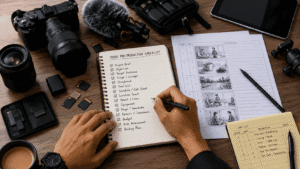
Visual proof: Show a shot list or notes.
Supporting shot: Close-up of someone writing shot ideas.
Example 3:
Main point: “Editing takes longer when files are messy.”
Visual proof: Show a messy folder or editing timeline.
Supporting shot: Screen recording of file organization.
This keeps your B-roll useful.
You are not just filming filler.
You are filming proof.
What B-Roll Shots Should You Capture?
A good B-roll shot list features various shot types.
It shouldn’t just repeat one angle.
Use this table as a starting point.
| B-Roll Shot Type | Best For | Example |
|---|---|---|
| Establishing shot | Showing location | Wide shot of office, studio, room, street |
| Wide shot | Showing full scene | Creator filming at a desk |
| Medium shot | Showing action clearly | Person setting up camera |
| Close-up shot | Showing detail | Finger pressing record, product texture |
| Action shot | Showing movement | Walking, typing, packing, adjusting light |
| Process shot | Showing steps | Importing files, editing, preparing product |
| Product shot | Showing item clearly | Camera, microphone, phone, laptop |
| Screen recording | Showing digital work | Editing timeline, website, app, dashboard |
| Cutaway shot | Breaking visual monotony | Looking at screen, hands moving, object detail |
| Reaction shot | Showing response | Person reviewing result or checking camera |
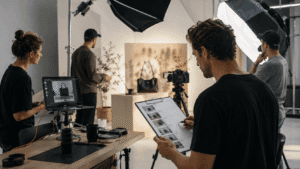
| Behind-the-scenes clip | Showing work process | Setup, lighting, filming, editing |
| Result shot | Showing final outcome | Published video, final image, product in use |
You do not need all of them in every video project.
Choose the shots that support your topic.
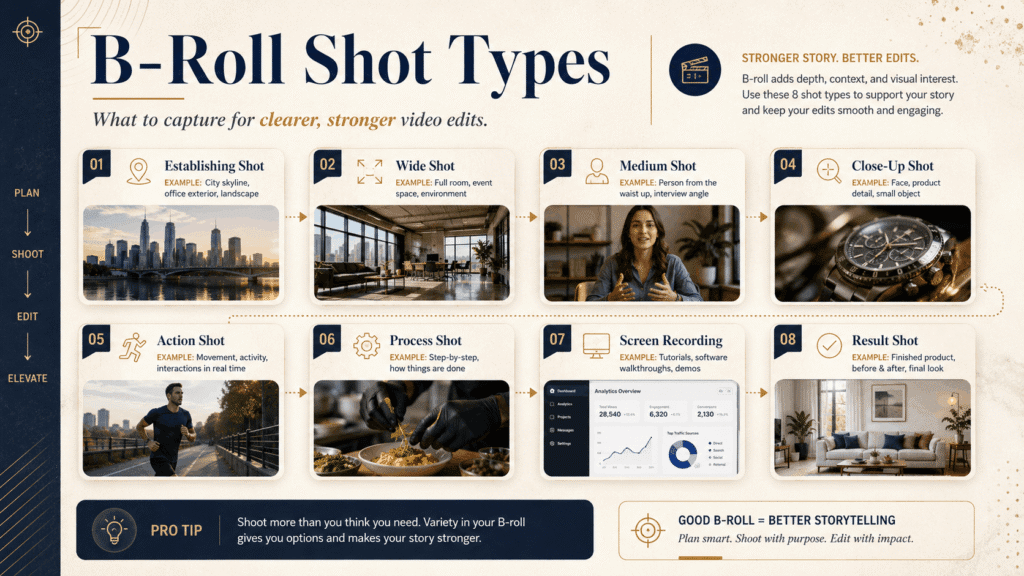
👉 For a complete list of ideas, check out: 20 B-Roll Ideas for Creators, Brands, and YouTube Videos.
How to Make a B-Roll Shot List Before Filming
A B-roll shot list helps you capture with purpose before you start filming.
It does not need to be complicated.
Use one row for each shot you need.
| Shot | Purpose | Shot Type | Notes |
|---|---|---|---|
| Desk setup wide shot | Show workspace | Establishing shot | Film before recording |
| Hand writing notes | Show planning | Close-up | Use natural light |
| Camera on tripod | Show filming setup | Product shot | Capture side angle |
| Editing timeline | Show editing process | Screen recording | Hide private info |
| Final video on phone | Show result | Result shot | Film vertical |
A useful B-roll shot list should answer:
- What does this shot show?
- Why does the video need it?
- Where will it fit in the edit?
- Is it wide, medium, close-up, or action?
- Do you need vertical, horizontal, or both?
Do not make the list too perfect.
The goal is not paperwork.
The goal is to avoid finishing the shoot and realizing you missed important footage.
How Much B-Roll Should You Capture for Different Video Types?
Capture more than one option, but do not shoot endlessly.
Too little B-roll makes editing hard.
Too much random footage makes editing slow.
Use this as a practical guide:
A usable clip is not just any clip.
It should be stable, clear, and related to the message.
When unsure, capture one wide shot, one medium shot, and one close-up for each important action.
Tips for Shooting Better B-Roll Footage
Good B-roll is usually simple and intentional.
You do not always need cinematic gear.
You need high-quality, clear shots that can actually be used in the edit.
Before you finish shooting, check this:
- Hold each shot for 5–10 seconds.
- Capture wide, medium, and close-up angles.
- Keep camera movement slow.
- Avoid shaky footage unless it fits the style.
- Keep consistent lighting before filming.
- Shoot the correct format for the platform.
- Capture both vertical and horizontal if needed.
- Film the action more than once.
- Leave space for captions or text.
- Get backup angles before packing up.
Do not chase fancy shots first.
Capture the useful shots first.
Then experiment if you still have time.
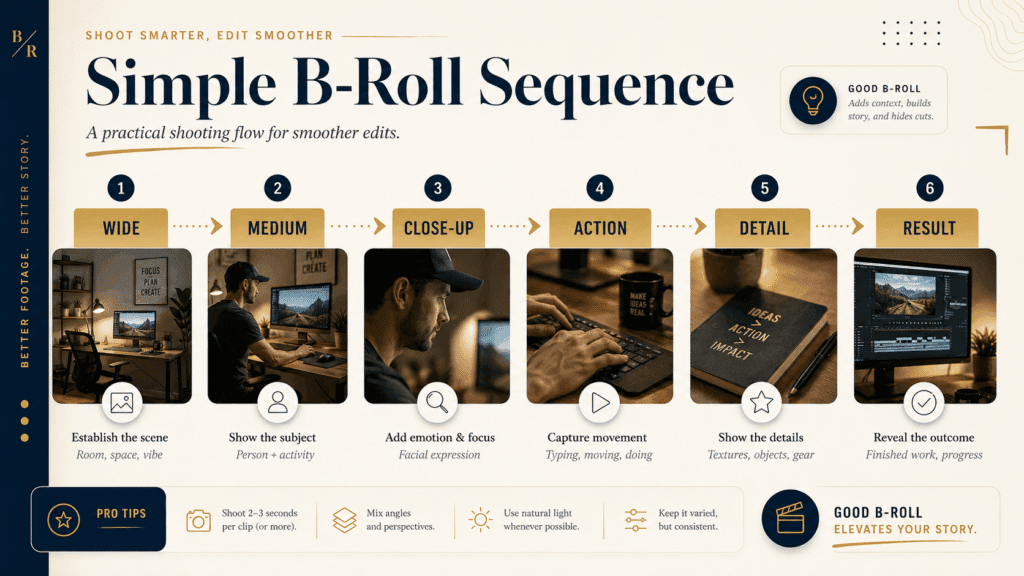
Use This Simple B-Roll Sequence to Capture Better Clips
A strong B-roll sequence usually needs visual variety.
Do not shoot five clips from the same distance.
Use this step-by-step sequence: Wide → Medium → Close-up → Action → Detail → Result
Example for a creator filming a desk setup:
| Sequence | Example Shot |
|---|---|
| Wide | Full desk setup |
| Medium | Creator sitting down |
| Close-up | Hand turning on the camera |
| Action | Adjusting the light |
| Detail | Microphone, lens, keyboard |
| Result | Final video preview on screen |
This gives the edit rhythm and storytelling flow.
It also makes the video feel more complete.
How to Edit B-Roll in Video Editing for Better Flow
Use B-roll when it adds meaning to the edit.
Do not cover every sentence with random clips.
Let the main footage breathe when the speaker is saying something important.
Use B-roll when you need to:
- Explain a process.
- Show an example.
- Cover a jump cut.
- Introducing a new section.
- Show proof or results.
- Change visual rhythm.
- Make a slow section easier to watch.
- Show something that the main footage cannot show.
Example:
If the speaker says, “This tool helps me plan my video faster,” show the tool, the planning page, or the shot list.
Do not show a random coffee cup unless it helps the story.
The viewer should never wonder why they are seeing that shot.
A good edit should feel natural.
If the B-roll does not support the sentence, remove it.
Common B-Roll Mistakes to Avoid
Most B-roll problems come from shooting without a purpose.
Here are the mistakes to avoid.
| Mistake | Better Approach |
|---|---|
| Shooting random cinematic clips | Shoot visuals that support the message |
| Only filming one angle | Capture wide, medium, and close-up |
| Making every shot too short | Hold each shot long enough |
| Adding B-roll everywhere | Use it only when it helps |
| Forgetting vertical or horizontal needs | Shoot for the final platform |
| Ignoring lighting changes | Keep clips visually consistent |
| Not filming enough detail shots | Capture hands, tools, product, screen, texture |
| Using stock footage that feels unrelated | Choose footage that matches the topic |
| Covering too much of the speaker | Let strong talking points stay visible |
| No shot list | Plan the key shots before filming |
The biggest mistake is treating B-roll as decoration.
B-roll should support the message.
Free B-Roll Shot List Template
Copy this shot list template before your next shoot.
- Video Topic:
- Main Message:
- Platform:
- Final Format:
- Location:
- Main Footage Needed:
- B-Roll Needed:
- Shot Type:
- Shot Size:
- Vertical / Horizontal:
- Props or Tools:
- Audio Needed:
- Notes:
Use this version if you want a table format:
| Field | Fill This In |
|---|---|
| Video topic | What is the video about? |
| Main message | What should viewers understand? |
| Platform | TikTok, Reels, YouTube, website, client video |
| Final format | Vertical, horizontal, square |
| Scene | Where is this shot happening? |
| B-roll idea | What should the viewer see? |
| Shot type | Wide, medium, close-up, cutaway, screen recording |
| Purpose | Explain, show proof, cover cut, transition |
| Notes | Lighting, movement, props, framing |
Keep this simple.
A shot list only works if you can actually use it on set.
B-Roll Shot List Example
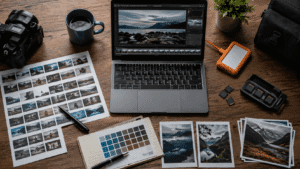
Here is a simple example for a video about organizing content files.
Video topic: How to organize photos and videos for content creation
Main message: A clear folder system saves editing time.
B-roll shot list:
- Messy desktop or folder with random files
Purpose: Show the problem - Creating a new project folder
Purpose: Show the first step - Drag and drop files into Raw, Selects, Working Files, and Exports
Purpose: Show the process - Renaming a final video file
Purpose: Show file naming - External SSD or cloud backup
Purpose: Show backup habit - Final organized folder
Purpose: Show the result
This example works because each shot supports the spoken idea.
The B-roll is not filler.
It shows the idea.
Can You Use Stock Footage as B-Roll?
Yes, but use relevant footage only.
Stock footage can help when you cannot shoot your own footage.
But it can also make your video feel generic.
Use stock footage when:
- You need a location you cannot film.
- You need quick context.
- You need abstract support.
- You need background visuals.
- You cannot capture the shot yourself.
Avoid stock footage when:
- It feels unrelated.
- It looks too polished for your video.
- It does not match your brand.
- It replaces real proof.
- It makes the video feel fake.
For creator, brand, and business videos, original footage usually feels stronger.
Even simple phone footage can feel more real than perfect stock clips.
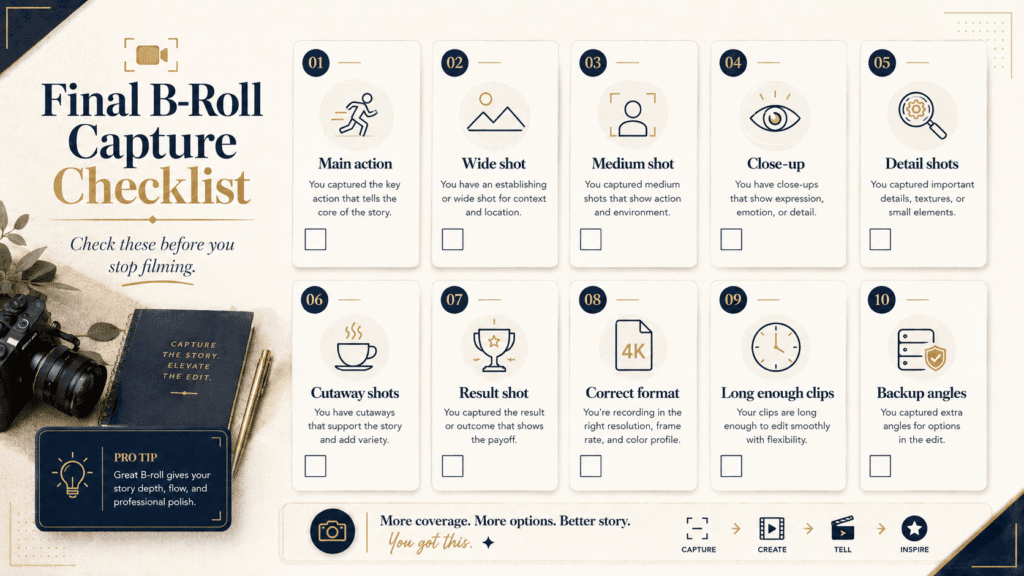
Final B-Roll Capture Checklist Before You Stop Filming
Before you pack up, check your coverage.
Use this quick checklist:
- Did you film the main action?
- Did you capture one wide shot?
- Did you capture one medium shot?
- Did you capture one close-up?
- Did you get detail shots?
- Did you get cutaway shots?
- Did you film the result?
- Did you shoot the right format?
- Did you hold each clip long enough?
- Did you capture backup angles?
Do this before ending the shoot.
It is easier to film one more clip now than to fix a missing shot later.
Conclusion
B-roll is not just extra footage.
It is the visual support that makes your video easier to understand, easier to edit, and easier to watch.
Start with the message.
Make a simple B-roll shot list.
Capture useful angles.
Then use B-roll only when it helps the viewer follow the video.
That is how to shoot B-roll for videos without wasting time on random footage.
Frequently Asked Questions
What is the difference between A-roll and B-roll?
A-roll is the main footage. B-roll is the supporting footage.
For example, a person talking to camera is A-roll. A close-up of their hands using a product is B-roll.
Do I need a professional camera to capture good B-roll?
No. You can shoot useful B-roll with a phone, camera, or action camera.
The shot needs to be clear, stable, and relevant. Gear matters less than planning.
How long should each B-roll clip be?
Hold each shot for at least 5–10 seconds.
Short clips can be hard to use in editing.
Longer clips give you room to trim.
How much B-roll should I capture in one session?
Capture enough B-roll to support each main point.
For short videos, 8–12 usable clips may be enough.
For longer videos, prepare 20 or more usable clips.
Can I change my B-roll shot list during filming?
Yes. A shot list is a guide, not a prison.
Capture the planned shots first.
Then add better ideas if the scene gives you better options.
How do I edit B-roll into my video?
Add B-roll when it explains a point, shows proof, covers a jump cut, or improves flow.
Do not add B-roll just to fill empty space.
Where can I find B-roll footage if I cannot shoot my own?
You can use stock footage, screen recordings, old project footage, product clips, or simple phone footage.
Choose footage that matches the message. Avoid generic clips that feel unrelated.

Miura Visual
Transforming visuals into content, stories, and scalable value across platforms and audiences.
Related Article