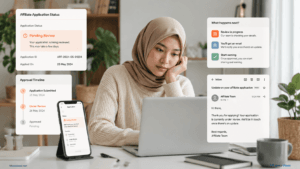
Why Is My Shopee Affiliate Payment Setting Pending Review?
If your Shopee Affiliate payment setting is pending review, Shopee is usually still checking your submitted Payment & Tax Information. The key is knowing whether you should wait, fix something, or follow up.

Quick Answer: Should You Wait or Take Action?
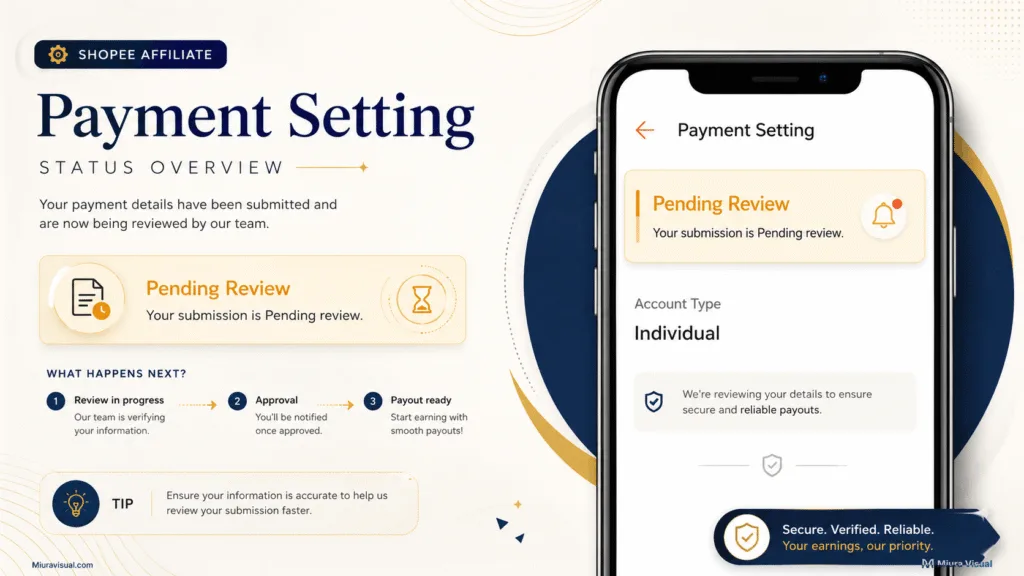
Shopee says Payment & Tax Information usually takes around 7–14 working days to review.
If your status is still Pending Review and you haven’t received a rejection notice, it’s best to wait.
If Shopee has shown a rejection reason, fix that issue before submitting again.
A practical way to decide is:
- Wait if you are still within the normal review period.
- Check if the review is taking longer than expected.
- Fix if Shopee gives you a specific rejection reason.
- Escalate if the review is well overdue and nothing explains the delay.
Do not resubmit just because the process feels slow.
First, confirm whether there is actually something to correct.
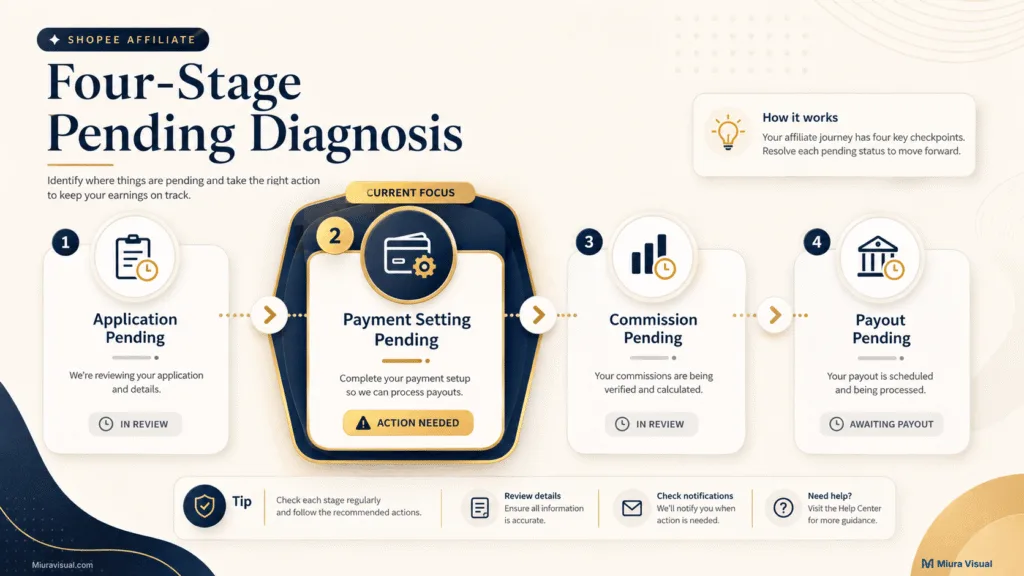
First, Which Shopee Affiliate “Pending” Are You Actually Seeing?
Shopee Affiliate has several stages that can show something as pending.
They are not the same problem.
| Pending Status | What It Means | What You Should Do |
|---|---|---|
| Affiliate application pending | Your Affiliate Program application is still being reviewed | Check your application status |
| Payment setting pending | Your Payment & Tax Information is being reviewed | Continue with this guide |
| Commission pending | An order or commission is still being validated | Check the commission status |
| Payout pending | Your eligible commission has not been released yet | Check the payout process |
This matters because each stage needs a different fix.
👉 If your Shopee Affiliate Program application itself has not been approved, read the guide on Shopee Affiliate application pending review instead.
If your Affiliate account is active and only the Payment Setting is pending, stay here.
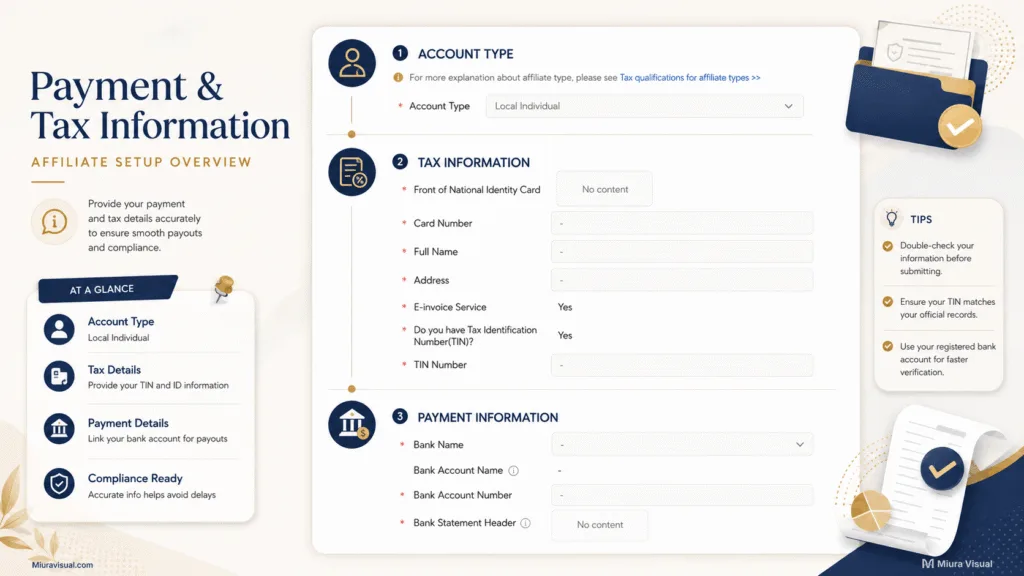
What Does Shopee Actually Review in Your Payment Setting?
Shopee is not reviewing a single payment button.
The Payment Setting contains several pieces of information that need to match.
For a Local Individual account in Malaysia, the Payment Setting can include:
- Account type
- Identity card details
- Full legal name
- Address
- Tax information
- TIN details
- E-invoice information
- Bank name
- Bank account number
- Bank account name
- Bank statement
That is why a Payment Setting review can take time.
Shopee needs to verify the information before using it for affiliate payments.
A useful rule is to think in matching pairs.
Your entered information should match the document that supports it.
For example:
- IC number ↔ uploaded identity document
- Full name ↔ identity document
- Bank name ↔ bank statement
- Account number ↔ bank statement
- Account holder details ↔ supporting bank information
If one part does not match, changing unrelated fields will not solve the problem.
How Long Does Shopee Affiliate Payment Review Take?
Shopee says that Payment & Tax Information usually takes about 7 to 14 working days on average.
That is a useful benchmark, but it is not a guaranteed deadline.
Community reports from affiliates show that some reviews can take longer.
Going past 14 working days does not automatically mean your submission was rejected.
The better way to judge the situation is to look at time + status + notifications.
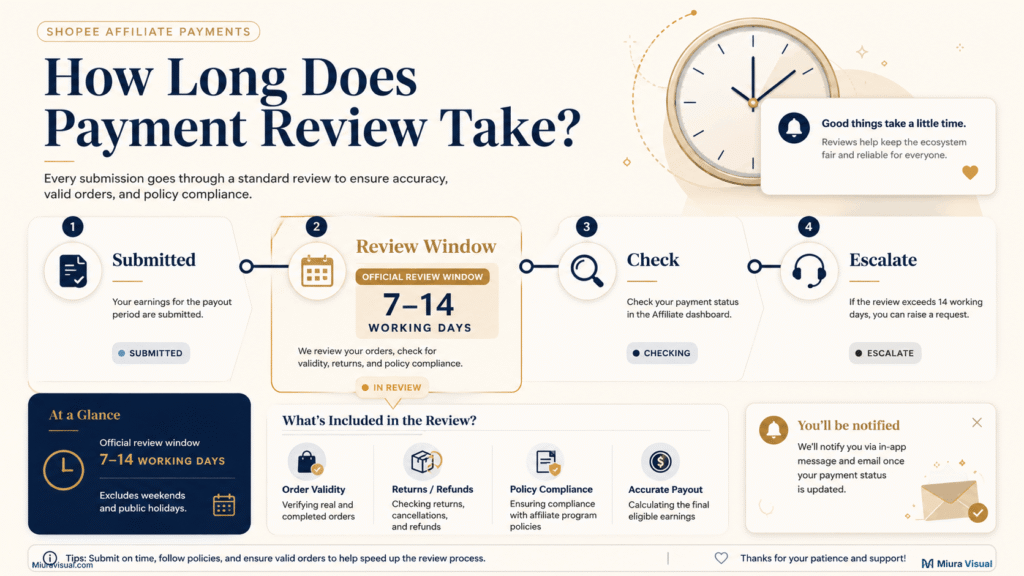
Still within 7–14 working days
If the dashboard only says Pending Review and you received no rejection notice, waiting is usually reasonable.
Avoid changing your payment information during this period unless something is clearly wrong.
Past the normal review period
Start checking more carefully.
Look at:
- Your email
- Spam or Promotions folders
- Payment Setting status
- Setting Records
- Shopee app notifications
- Any rejection reason shown in the account
Do not use time alone as proof that something failed.
Still Pending With No Clear Update
If your information is complete and the status hasn’t changed for a while, you should follow up with Shopee.
This is a practical recommendation.
It is not an official rule that says you must contact Shopee after a fixed number of days.
What Should You Do While Payment Setting Is Pending?
Use a simple four-step process:
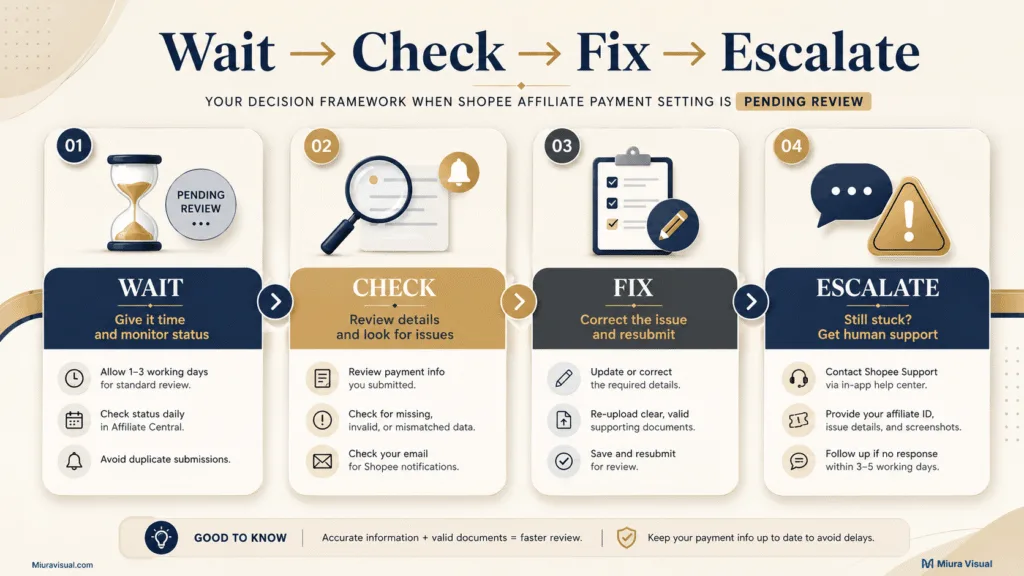
1. Wait
Wait when:
- You recently submitted the information.
- You are still within the usual review period.
- There is no rejection email.
- Shopee has not asked you to update anything.
The mistake here is trying to fix a problem that may not exist yet.
2. Check
Start checking when the review is taking longer than expected.
Look for evidence before making changes:
- Check your email and spam folder.
- Open your Shopee Affiliate account.
- Go to Payment Settings.
- Review any available Setting Records.
- Check whether Shopee shows a rejection reason.
- Compare your submitted details with your documents.
The goal is to identify what is actually wrong, not to edit everything.
3. Fix
If Shopee gives you a rejection reason, focus on that issue first.
For example, if your bank account number doesn’t match the statement, updating your tax info won’t help.
Fix the stated problem.
Then check the related fields before submitting again.
4. Escalate
Consider contacting Shopee when:
- The review has gone well beyond the normal range.
- There is no clear rejection reason.
- Your submitted information appears complete.
- The status has not changed.
- You cannot find any action requested by Shopee.
Before contacting support, prepare your account details and current Payment Setting status.
This makes the issue easier to explain.
Why Your Shopee Affiliate Payment & Tax Information May Be Rejected
Shopee lists several common reasons for rejected Payment & Tax Information.
Knowing the reason is only half the job.
You also need to know what to check before resubmitting.
| Rejection Reason | What It Usually Means | Check First | What to Fix |
|---|---|---|---|
| IC or passport mismatch | Entered number does not match the uploaded document | ID number | Enter the exact number shown |
| Full name mismatch | Submitted name differs from your identity document | Full legal name | Match the name on your IC or passport |
| No official bank statement | The uploaded document does not meet the requirement | Bank statement | Upload a clear, complete statement |
| Duplicate bank account | The bank account is already tied to another affiliate account | Existing affiliate accounts | Check how that bank account is being used |
| Bank details mismatch | Entered bank details differ from the statement | Bank and account number | Make both records match exactly |
One common mistake is checking whether the information looks roughly correct.
Shopee’s rejection guidance is stricter.
The account number and legal name must match the supporting document.
For bank statements, Shopee says the document should clearly show:
- Bank account holder name
- Bank account number
- Bank logo
If the rejection is about your bank info, start there first before making any other changes.
How to Check the Rejection Reason and Resubmit Correctly
Do not guess why Shopee rejected the submission.
Check the reason first.
On the Affiliate Dashboard
Shopee’s web process is:
- Open the Payment Setting page.
- Click Setting Records.
- Check the information icon for the rejection reason.
- Open View Details.
- Edit the incorrect information.
- Review the changes.
- Submit again.
Shopee also sends review results by email.
Check your inbox before editing anything.
On the Shopee App
The app route is:
- Open the Shopee app.
- Go to Me.
- Open Affiliate Program.
- Tap Account.
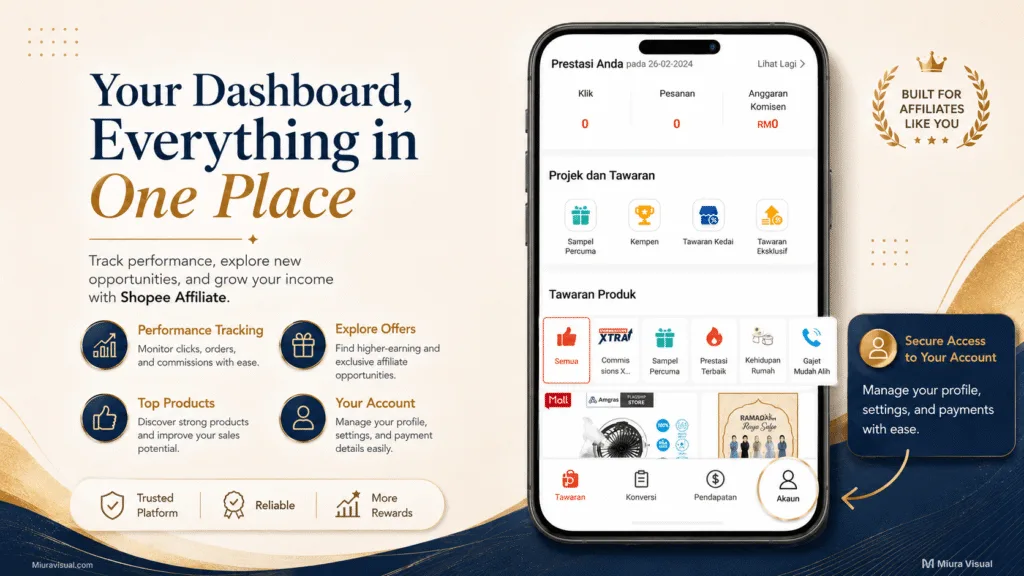
5. Open Payment Settings.
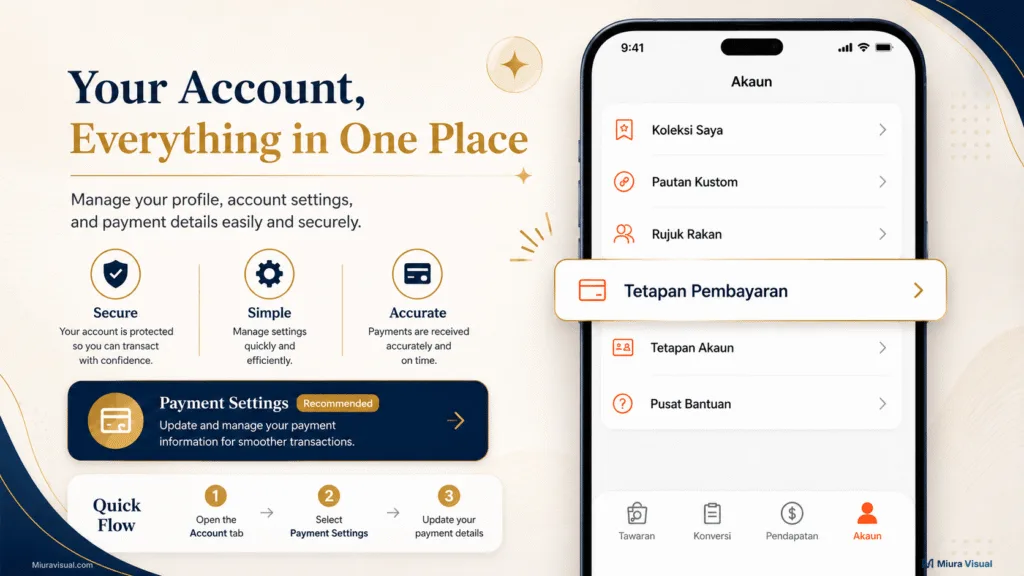
6. Tap Check Reason if a rejection is shown.
The exact interface can change, but the main rule stays the same:
find the rejection reason before resubmitting.
A rejected submission gives you something specific to fix.
A Pending Review status without a rejection reason does not.
Before You Resubmit: Payment Setting Checklist
Run through this checklist before pressing Submit again.
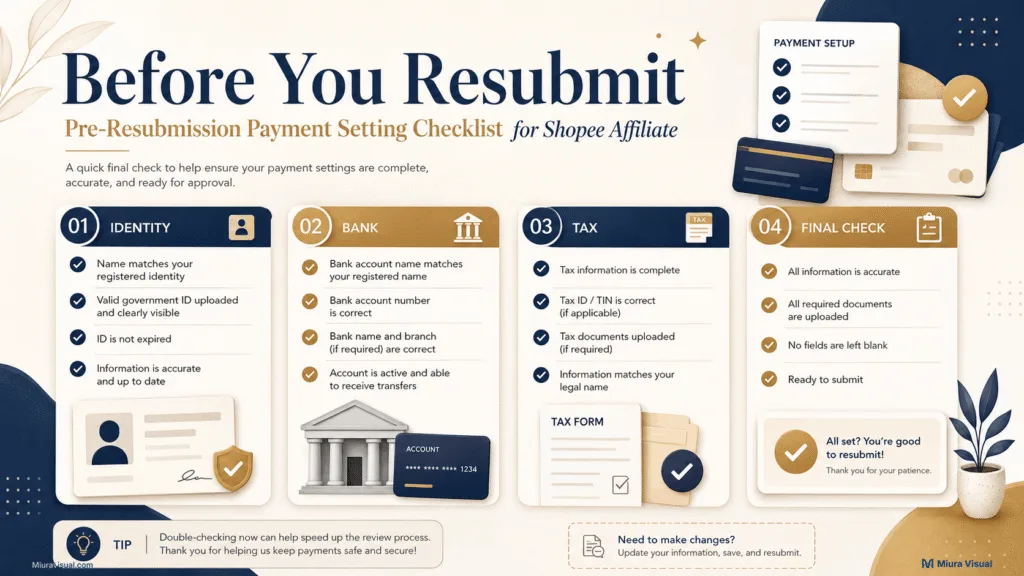
Identity information
- Does the IC or passport number match exactly?
- Is your full legal name written correctly?
- Does the name match the uploaded identity document?
Bank information
- Did you select the correct bank?
- Does the account number match your bank statement?
- Does the statement show the account holder’s name?
- Is the bank logo visible?
- Is the document clear enough to read?
Tax information
- Are the required tax fields complete?
- Is your TIN information accurate where applicable?
- Did you complete the required e-invoice information shown in your account?
Final check
- Did you identify the actual rejection reason?
- Did you fix that specific problem?
- Do the entered details now match the supporting documents?
Do not resubmit just because you are impatient.
Resubmit when you have meaningful corrections. Also, do it when Shopee asks for updates.
Repeatedly editing a correct submission will not fix a normal review delay.
Will Pending Payment Settings Affect Your Commission or Payout?
A pending Payment Setting does not automatically mean your affiliate commission is gone.
Commission validation and payment verification are different stages.
However, Shopee requires Payment & Tax Information to be verified before eligible commission can move through the payment process.
If your payment information is incomplete or still under review, your payout may be held.
👉 If your real problem is that an order shows RM0 commission, check the guide on why Shopee Affiliate commission shows 0.
👉 If the commission is already valid but the money has not reached your bank, the issue has moved to the Shopee Affiliate payout process.
Keeping these stages separate makes troubleshooting much easier.
Conclusion: Should You Wait, Fix or Contact Shopee?
If your Payment Setting is still within the normal review period and no problem is shown, wait.
If Shopee gives you a rejection reason, fix that exact issue and resubmit.
If the review is overdue and there’s no reason or action needed, check your records.
Then, think about contacting the Shopee Help Center.
The most useful first step is simple:
First, open your Payment Settings.
Check if you have a normal Pending Review or a real rejection.
Frequently Asked Questions
Is Shopee Affiliate Payment Setting Pending Review the same as Affiliate Application Pending Review?
No. Affiliate application pending means Shopee is still reviewing whether to approve your Shopee Affiliate Program account. Payment Setting pending means Shopee is reviewing your payment and tax information after that stage.
Can I still earn commission while my Payment Setting is pending?
Your Payment Setting and commission validation are separate processes. However, unverified Payment & Tax Information can prevent eligible commission from being paid out.
Can the same bank account be used for more than one Shopee Affiliate account?
Shopee states that each affiliate can use only one account for each local bank. For enterprise affiliates, up to three affiliate accounts may be tied to the same bank account.
What if Shopee approves my Payment Setting by email but the dashboard still shows Pending Review?
Some affiliates noticed a delay. This is between the approval email and the dashboard status update. Check your email, Payment Setting, and Setting Records first. If the mismatch continues, contact Shopee for clarification.
Should I resubmit my Payment Setting if it has been pending for too long?
Not automatically. First, check whether Shopee has shown a rejection reason or asked for changes. If nothing is wrong, resubmitting may not fix a normal review delay.

Miura Visual
Transforming visuals into content, stories, and scalable value across platforms and audiences.
Related Article