What Is a Shot List? How to Make One for Photo and Video Shoots
A shot list is often the missing step when a photo or video shoot feels rushed, unfocused, or incomplete. In this guide, you’ll learn what a shot list is, what to include, and how to make one for photo and video shoots.

What Is a Shot List?
A shot list is a list of shots you plan to capture, whether they become photos or video footage.
It can be used for:
- Photography
- Video production
- Social media content
- Product shoots
- Brand campaigns
- Client projects
A shot list is not only for big film productions.
Even a solo creator or small creative team can create one.
For a photoshoot, it helps you plan the key images you need.
For a video shoot, it helps you capture footage that can be edited into a clear final piece.
The goal is simple: “Know what you need before the camera starts rolling.”
Why an Effective Shot List Matters Before a Shoot
A strong shot list makes the shoot smoother from start to finish.
| Benefit | Why It Matters |
|---|---|
| Avoid missing key shots | You cover the important visuals before experimenting |
| Keep the shoot focused | Everyone knows what needs to be captured |
| Make editing easier | You return with footage or photos that serve the final output |
| Improve client and team communication | Expectations become clearer before production starts |
| Save time on set | You spend less time deciding what to shoot next |
A shot list does not make your work less creative.
It protects the creative part from unnecessary chaos.
Once the important shots are covered, you can explore freely.
That is usually the best rhythm: “Structure first. Creativity after.”
What Should You Include on Your Shot List?
A shot list should give enough detail to guide the shoot without becoming difficult to use.
For most photo and video projects, these fields are enough.
| Field | What It Means | Example |
|---|---|---|
| Shot / Image | What you need to capture | Product close-up |
| Purpose | Why this shot is needed | Website product page |
| Subject | Who or what appears | Coffee cup on table |
| Framing | Wide, medium, close-up | Close-up |
| Angle | Front, side, top-down, over-the-shoulder | 45-degree angle |
| Orientation | Vertical, horizontal, square | Vertical |
| Notes | Any special instruction | Leave space on the left for text |
For video shoots, you may also include:
| Extra Video Field | Example |
|---|---|
| B-roll | Close-up of texture, buttons, packaging |
| Movement | Slow push-in |
| Action | Hand picks up the product |
| Dialogue | “This is the feature I use most” |
| Audio note | Capture clean ambient sound |
They are the ones that help you shoot clearly.
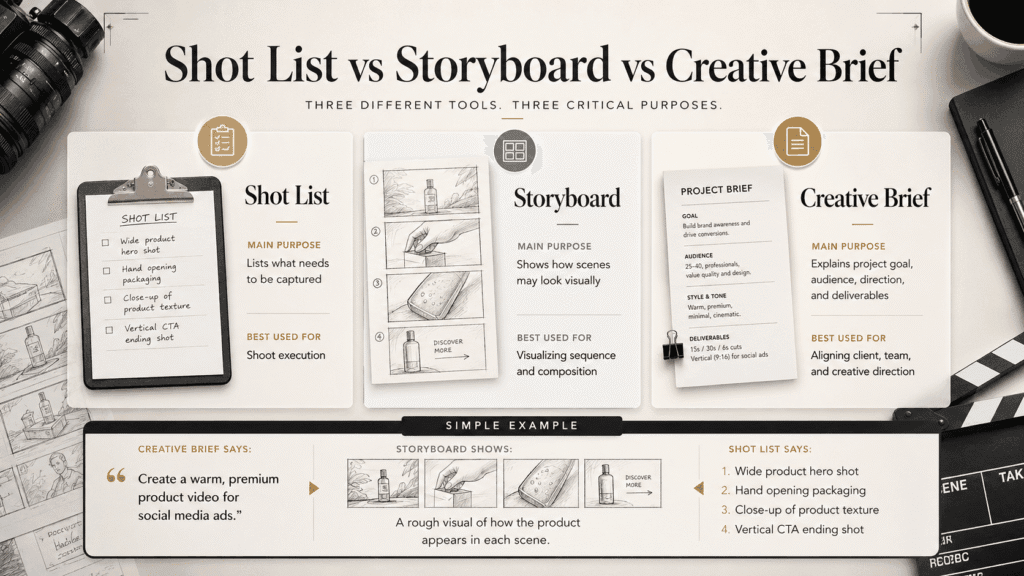
Shot List vs Storyboard vs Creative Brief
These three tools are related, but they are not the same.
| Tool | Main Purpose | Best Used For |
|---|---|---|
| Shot List | Lists what needs to be captured | Shoot execution |
| Storyboard | Shows how scenes may look visually | Visualizing sequence and composition |
| Creative Brief | Explains project goal, audience, direction, and deliverables | Aligning client, team, and creative direction |
Simple example
A creative brief defines the overall direction:
“Create a warm, premium product video for social media ads.”
A storyboard turns that direction into a rough visual sequence:
A scene-by-scene preview of how the product may appear on screen.
A shot list turns the plan into specific shots to capture:
- Wide product hero shot
- Hand opening packaging
- Close-up of product texture
- Vertical CTA ending shot
They work together.
But when the shoot starts, the shot list is usually the most practical document in your hands.
How to Make a Shot List Step by Step
A useful shot list starts with the final purpose of the content.
Do not begin by randomly listing camera angles.
Start by asking what the shoot needs to achieve.
1. Start With the Goal of the Shoot
Ask:
- What is this content for?
- Who will see it?
- Where will it be published?
- What should the viewer understand, feel, or do?
A photoshoot for a website banner needs different shots from a TikTok product video.
A client campaign needs different coverage from a casual behind-the-scenes Reel.
The final use shapes the shot list.
2. Identify the Final Content Use
Before listing shots, define the outputs.
For example:
| Final Use | What It May Require |
|---|---|
| Instagram feed | Square or vertical image |
| Website banner | Horizontal image with text space |
| TikTok / Reels | Vertical video and strong opening shot |
| Product page | Clear detail shots |
| Client presentation | Clean hero visuals and process shots |
This step matters more than many people think.
A beautiful shot is not always a useful shot.
A shot becomes valuable when it serves the final content.
3. List the Key Shots You Must Capture
Now write the non-negotiable shots first.
These are the visuals you cannot afford to miss.
For a brand photoshoot, that may include:
- Hero image
- Lifestyle image
- Product close-up
- Detail shot
- Horizontal website image
- Vertical social media image
For a short product video, that may include:
- Opening hook shot
- Main product action
- Feature close-up
- Usage example
- Result shot
- Ending CTA shot
Start with the essentials.
Add optional creative shots after that.
4. Add Framing, Angle, Orientation, and Notes
This is where the list becomes practical.
Instead of writing “Product shot”, write “Product close-up, 45-degree angle, vertical, leave space at top for text.”
That one line is far more helpful on shoot day.
The more specific your final content needs are, the more helpful these notes become.
5. Arrange the Shots by Scene, Location, or Setup
A shot list should help the shoot run smoothly.
Do not only arrange it by your imagination.
Arrange the shooting order in a way that reduces unnecessary setup changes.
For example:
| Setup | Shots |
|---|---|
| Tabletop setup | Product hero, product close-up, hand interaction |
| Lifestyle setup | Person using product, over-the-shoulder view |
| Detail setup | Texture close-up, packaging detail |
This makes staying on schedule easier.
It also makes the day less tiring for everyone involved.
6. Share Your Shot List With the Team or Client When Needed
If a client, model, assistant, videographer, or editor is involved, share the shot list early.
This way, you can prevent misunderstandings.
It helps everyone understand:
- What must be captured
- Which shots are priority
- What the final content is meant to support
For client work, this is especially useful.
A clear shot list often prevents last-minute comments.
That should be settled before the shoot, not after.
7. Use It During the Shoot, but Stay Flexible
A shot list is a guide, not a prison.
Use it to cover what matters first.
Then adapt to what happens on set.
Sometimes the lighting is better from another angle.
Sometimes the talent gives a more natural reaction than planned.
Sometimes a spontaneous shot becomes the strongest image of the day.
That is fine.
The shot list protects the base.
Your eye still decides what deserves extra attention.
Shot List Example for a Photoshoot
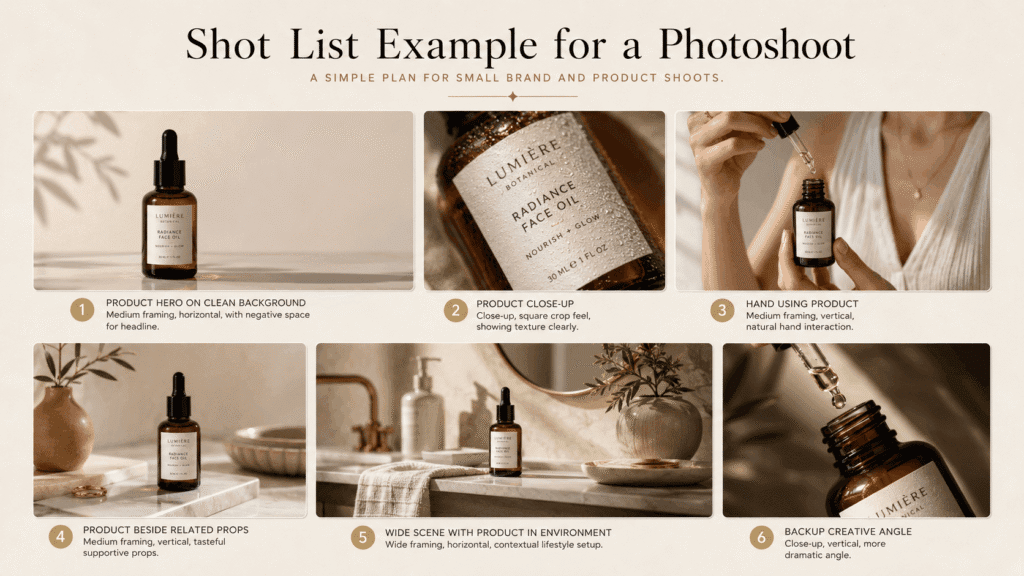
Here is a simple shot list for a small brand or product photoshoot.
| Shot | Purpose | Framing | Orientation | Notes |
|---|---|---|---|---|
| Product hero on clean background | Website / campaign lead image | Medium | Horizontal | Leave negative space for headline |
| Product close-up | Product page detail | Close-up | Square | Show texture clearly |
| Hand using product | Social media / lifestyle content | Medium | Vertical | Natural hand position |
| Product beside related props | Instagram post | Medium | Vertical | Keep props supportive, not distracting |
| Wide scene with product in environment | Website banner / brand story | Wide | Horizontal | Show context |
| Backup creative angle | Optional campaign asset | Close-up | Vertical | Try one more dramatic angle |
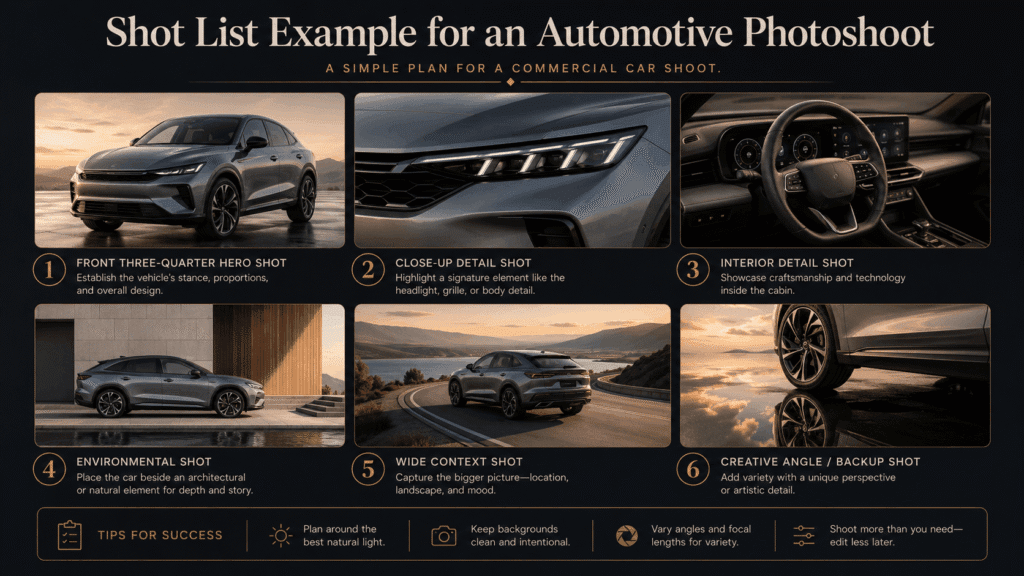
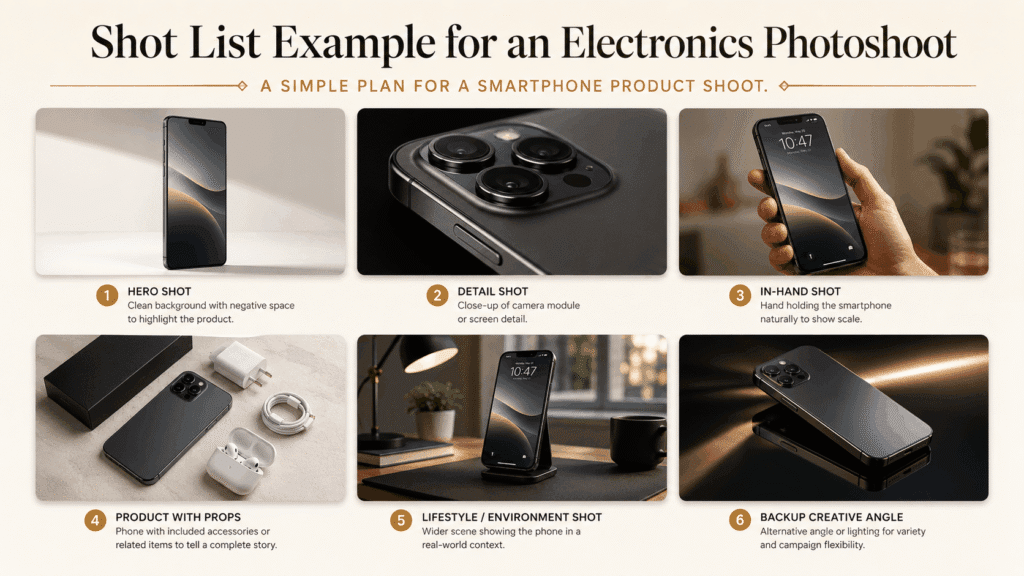
This type of photo shot list works well for:
- Product shoots
- Brand content
- Lifestyle photography
- Social media campaigns
- Website visuals
Shot List Example for a Video Shoot
Here is a simple video shot list for a short product Reel.
| Shot | Purpose | Framing | Movement / Action | Notes |
|---|---|---|---|---|
| Quick opening product reveal | Hook | Close-up | Hand enters frame | First 2 seconds matter |
| Product in use | Main value | Medium | Natural action | Show real function |
| Feature detail | Product clarity | Close-up | Slow push-in | Emphasize important part |
| Alternate angle | Editing flexibility | Side angle | Repeat same action | Useful for pacing |
| B-roll texture shot | Visual richness | Extreme close-up | Slow movement | Good for transition |
| Ending hero shot | Final impression | Medium | Static | Leave room for text or CTA |
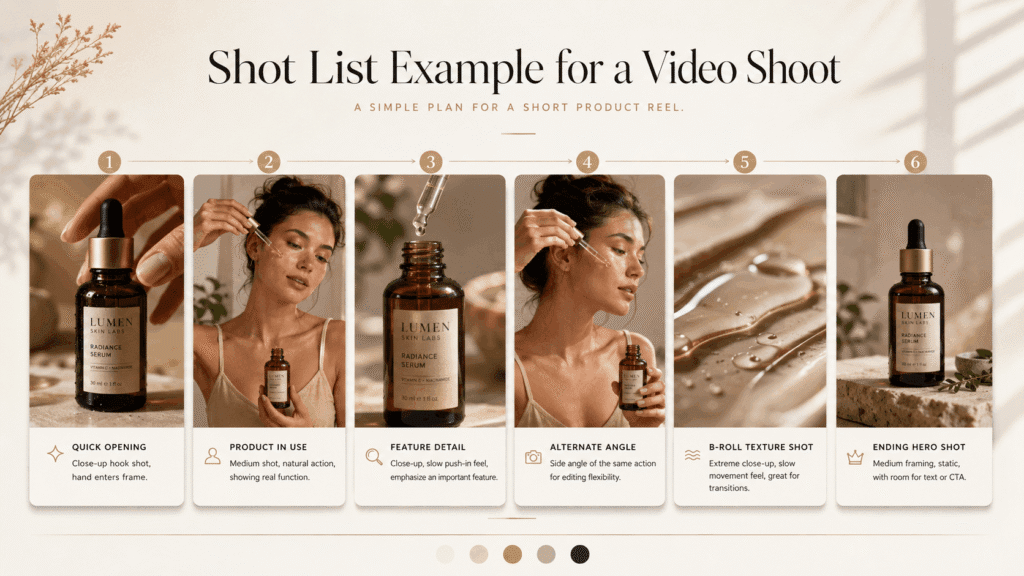
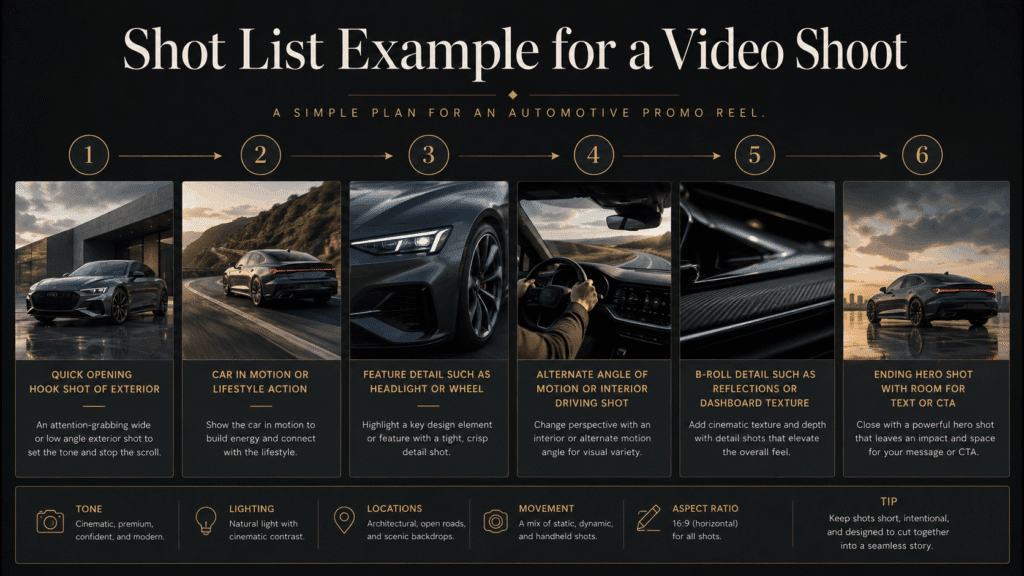
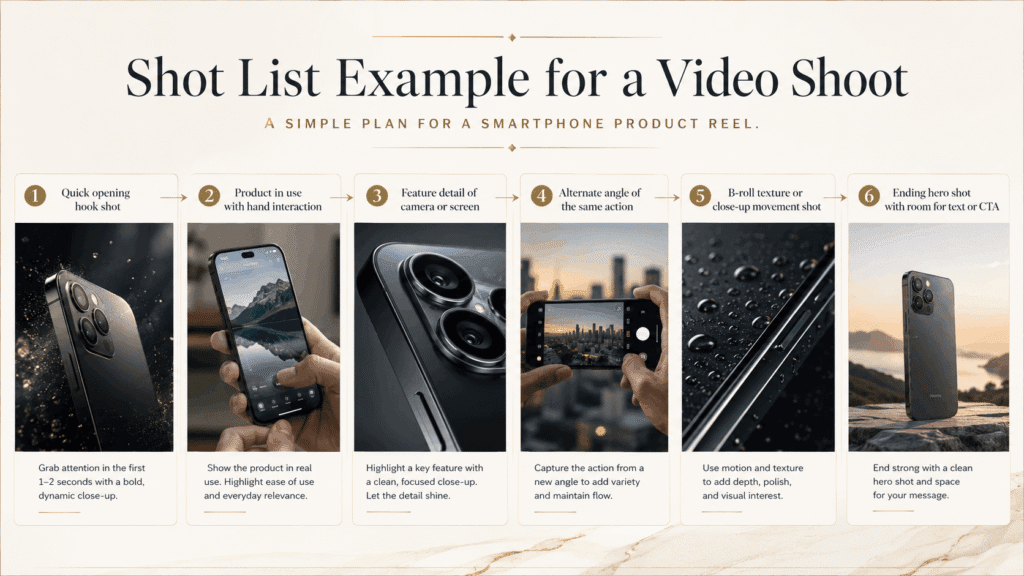
This type of video shot list works well for:
- Product Reels
- Short-form ads
- Brand promo videos
- Social media campaigns
- Commercial lifestyle content
How Detailed Should a Shot List Be?
A shot list should be detailed enough to guide the shoot, but not so detailed that it becomes hard to use.
The right level depends on the project.
| Project Type | Recommended Detail Level |
|---|---|
| Simple personal shoot | Basic list of must-have shots |
| Social media content day | Shot list with framing and platform orientation |
| Client brand shoot | Detailed purpose, framing, usage, and notes |
| Commercial campaign | More complete shot list with references, setups, deliverables, and approval points |
For small shoots, a simple list may be enough.
For client or campaign work, more detail is worth it because more people depend on the outcome.
Include only the technical details that affect the final deliverable.
This includes framing, orientation, key actions, text space, and essential product features.
Skip details that can be worked out on set, unless the client or team needs them confirmed ahead of time.
But do not over-plan every tiny decision.
If the shot list becomes harder to read than the shoot itself, it has gone too far.
Common Shot List Mistakes
A shot list becomes weak when it is either too vague or too complicated.
| Mistake | Why It Causes Problems | Better Approach |
|---|---|---|
| Writing “product shot” with no detail | Too unclear on shoot day | Add purpose, framing, and orientation |
| Listing only creative ideas | Important utility shots may be missed | Separate must-have shots from optional shots |
| Ignoring final content use | You may capture the wrong format | Plan based on website, social, ad, or client need |
| Forgetting vertical or horizontal versions | Content becomes harder to publish later | Note orientation in advance |
| Not sharing with the client or team | Expectations may not match | Confirm the list before the shoot |
| Treating the shot list as fixed forever | You may miss better on-set opportunities | Use it as a guide, not a cage |
One of the biggest mistakes is making the shot list from the camera’s point of view only.
A stronger shot list thinks from the final content’s point of view.
❌ “What can I shoot?”
✅ “What will this project need when it is edited, published, or delivered?”
That small shift makes the list far more useful.
Simple Shot List Template
You can copy this basic shot list template and adjust it for photo or video projects.
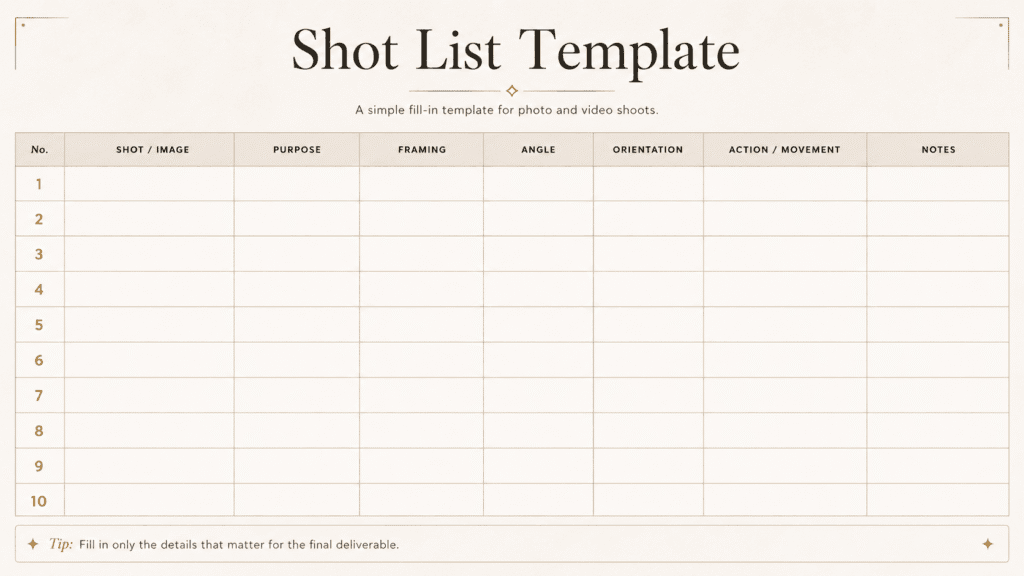
For photo shoots, you may leave the Action / Movement column blank.
For video shoots, that column becomes more important.
You can also add extra columns if needed:
- Location
- Props
- Talent
- Audio
- Reference image
- Deadline
- Approval status
Keep the template simple enough that you will actually use it.
Conclusion: A Good Shot List Helps You Shoot With Purpose
A good shot list helps you answer three questions before the shoot begins:
- What must be captured?
- Why does each shot matter?
- What details will help the final content work better?
If your list includes key shots, final content use, framing, orientation, and important notes, it’s doing its job.
You do not need to plan every second of the shoot.
You need clear vision to catch key visuals.
Also, stay flexible to react to changes on set.
That is what makes a shot list useful.
It turns a rough idea into a shoot plan you can actually follow.
Frequently Asked Questions
What Should You Include on Your Shot List?
A shot list should include the shots you need to capture and the details that affect the final result. This can include the shot description, purpose, framing, angle, orientation, action, and any key notes.
For video shoots, you may also add camera movement, dialogue, B-roll, or audio notes when they matter.
What is the difference between a shot list and a storyboard?
A shot list is a practical list of what needs to be captured during the shoot. A storyboard is a visual preview of how the scenes or shots may look.
Use a storyboard to visualize the idea. Use a shot list to execute the shoot clearly.
Do photographers need a shot list?
Yes, this is important for client shoots. It applies to brand photography, product shoots, events, and content sessions with clear deliverables. A photography shot list helps you capture key images. It keeps you organized and prevents missing important visuals after the shoot.
When should you create a shot list?
A shot list should be prepared before the shoot begins, after you understand the project goal, format, and final deliverables. It works best during pre-production, before the team arrives on set or the camera starts rolling.
How detailed should a shot list be?
A shot list should be detailed enough to guide the shoot, but not so detailed that it becomes difficult to use. Include details that affect the final deliverable, such as framing, orientation, must-have features, or key action. Leave flexible creative decisions open unless they need to be confirmed in advance.

Miura Visual
Transforming visuals into content, stories, and scalable value across platforms and audiences.
Related Article